

How We Built Everything a Private Dining Club in Vail Runs On
Member app, host stand, kitchen screens, scheduling, a custom training academy, 13 AI assistants, and the website, from first line of code to opening in about seven months.
Open a Private Club With Everything in Place in About Seven Months
A private dining club in Vail, Colorado needed everything a club runs on ready for opening: hospitality technology from the member app to the training academy, plus marketing and a dining room layout.
We wrote the first line of code in April 2026. The public website was live within the first month, and everything was built for the club's November 2026 opening.
Private Club Software Built Around Membership Tiers
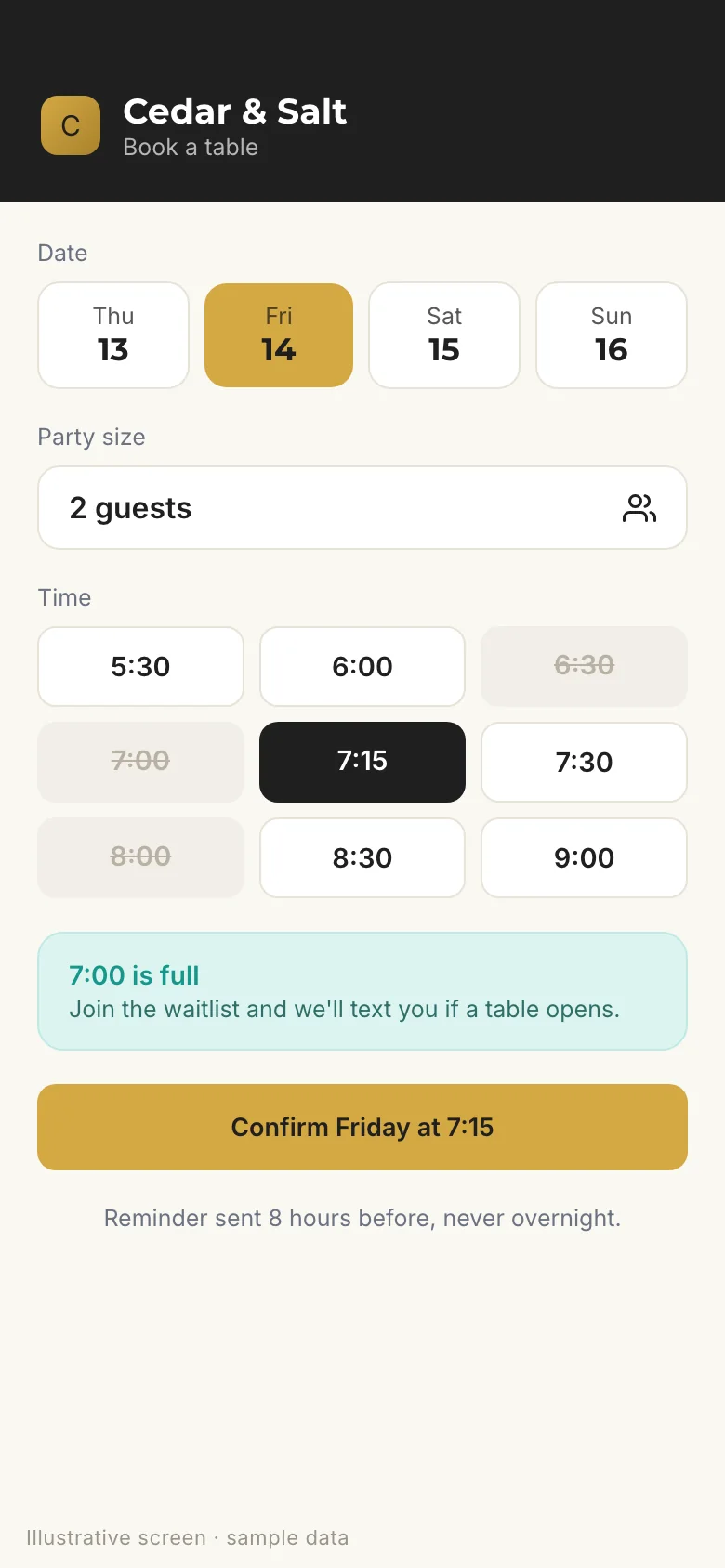
On the web and mobile, the member app handles dining reservations, ski valet, event RSVPs, messages to the club, and car service rides that book straight into the local dispatch system, with live status. Booking windows differ by membership tier, and full time slots show as unavailable.
Every request ends one of four ways: confirmed, offered an alternative, waitlisted, or held for review. Non-members can book from the website up to 24 hours ahead.
- When a table frees up, the next party gets a 5-minute offer, then it moves down the line
- Reminder emails 8 hours ahead, never overnight, in wording managers can edit
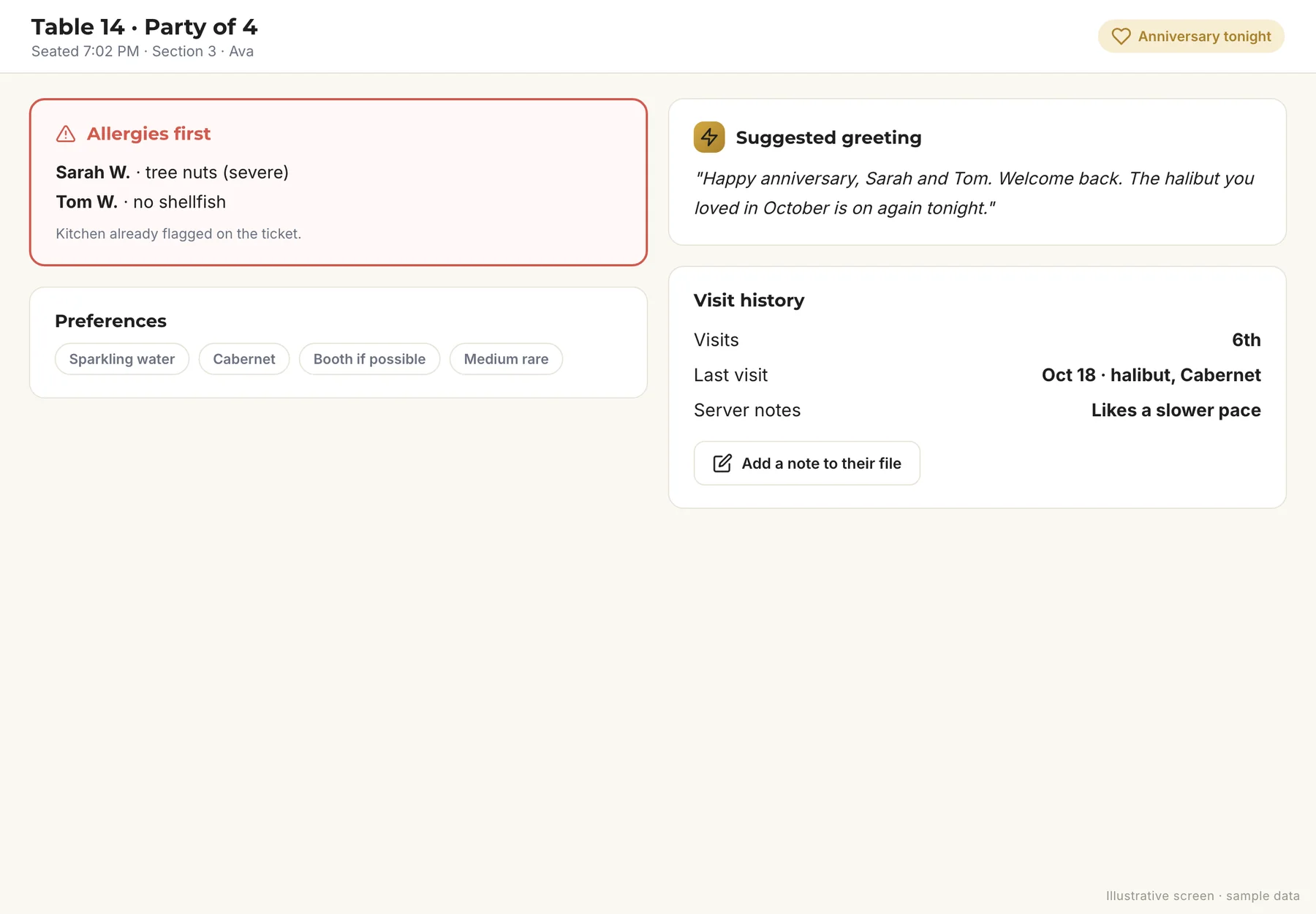
- A guest memory file of allergies, likes, birthdays, recent visits, and server notes, rebuilt every night
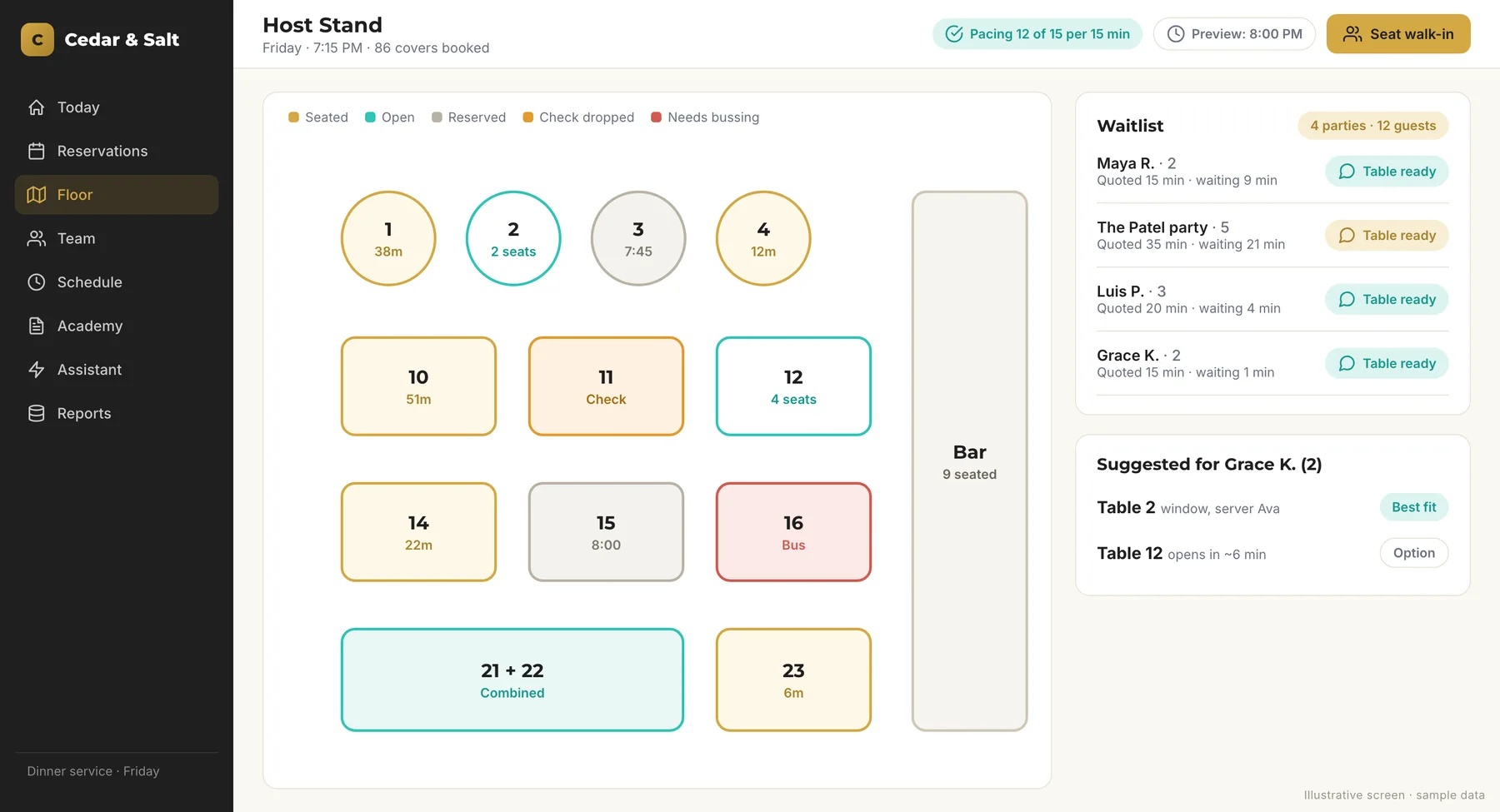
A Live Floor Map of 38 Tables
The host stand shows every table live, with a slider to preview later tonight, tables that combine, and ranked seat suggestions. Walk-ins get live wait quotes and a one-tap text when their table is ready, and returning guests are recognized by phone number.
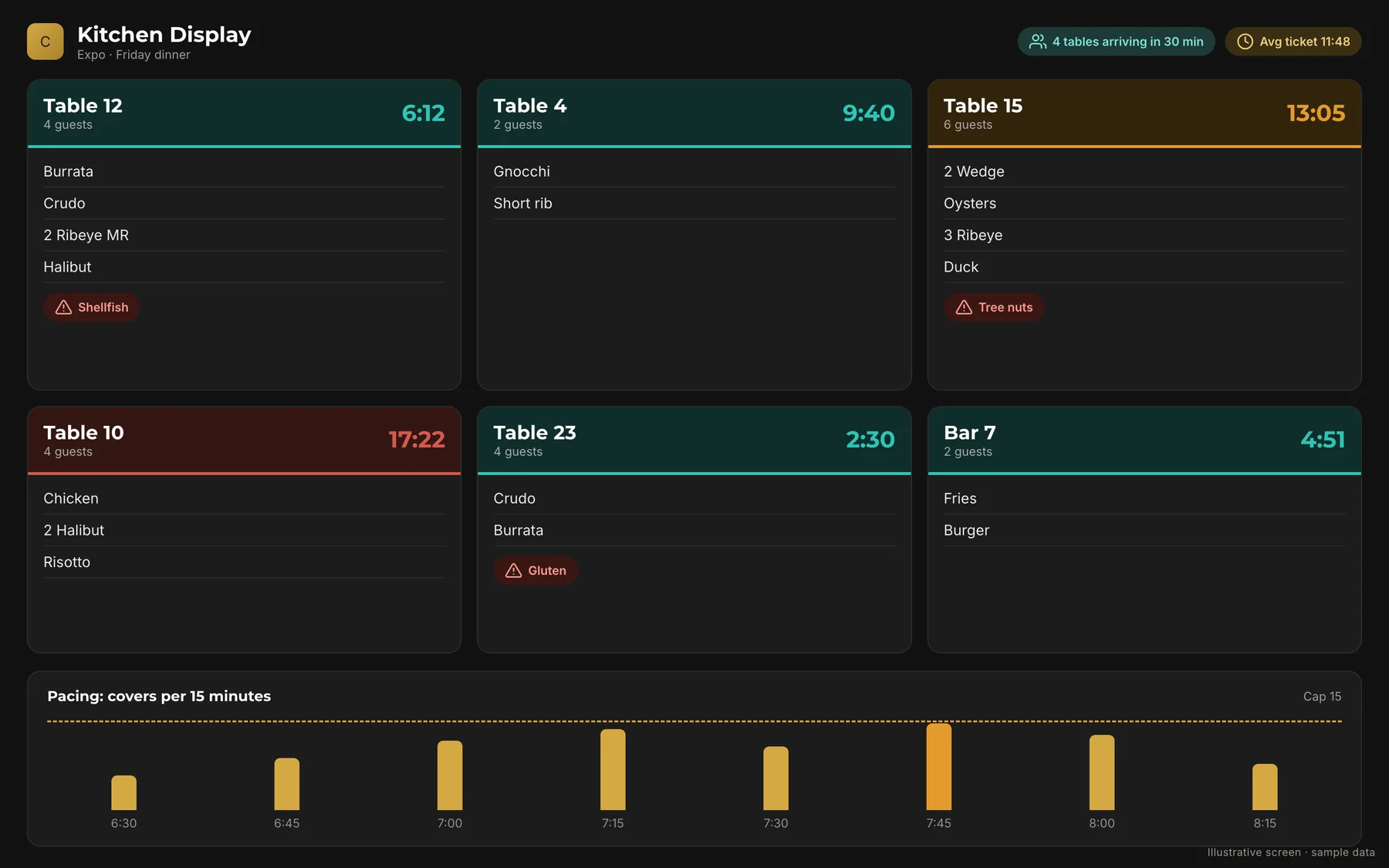
Pacing is built in: server sections, rest time between seatings, tables closed for a single service, and a cap of 15 covers per 15 minutes.
- A daily report on how accurate the wait quotes were
- A shift plan that assigns the day's bookings to tables
- Pre-shift, mid-shift, and checkout views, plus a printed day sheet
Allergies First, the Moment a Table Sits
When a party is seated, the server's tablet briefs them right away, allergies first. Notes taken at the table save straight to the guest's file, so the next visit starts with what the team already knows.
- Server checkout that covers side work
- A manager board to cut staff and send them home
A Clock on Every Seated Table
The kitchen screen puts a clock on every seated table, shows allergies at the table, lists arrivals due, and draws the pacing line. It also has a full-screen display mode.
- Pacing analysis
- An allergen-filtered menu
- Station prep sheets
Weekly Schedules Drafted From the Book
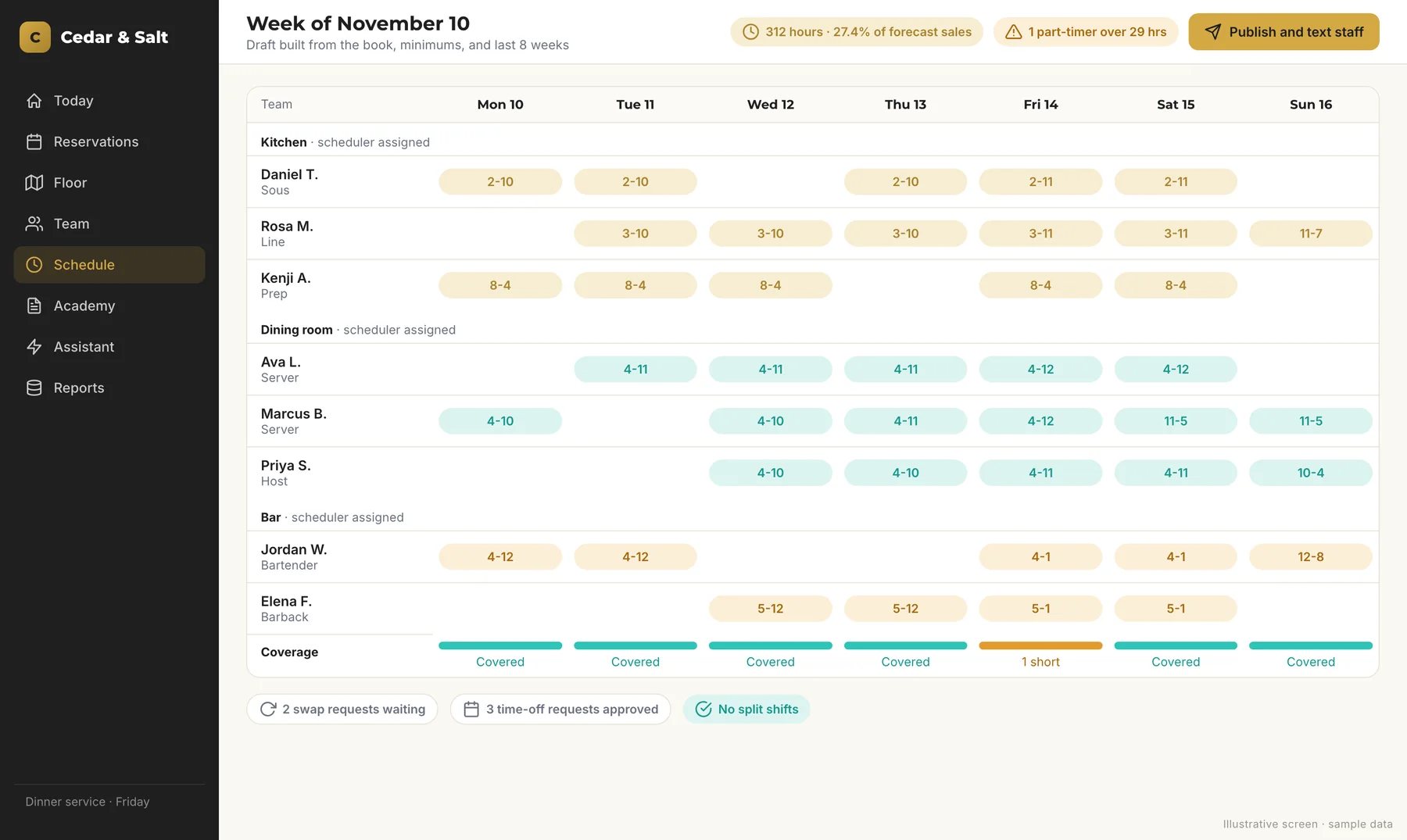
Each department (kitchen, dining room, bar, and valet) has named schedulers. Weeks are auto-drafted from the book, staffing minimums, and history. Drafts respect availability, time off, and 40-hour caps, flag part-timers over 29 hours, and never split a shift.
Publishing texts each person their week, and later changes text only the people affected.
- Swap, time-off, and availability requests with manager approval
- A coverage view and a weekly hours report
- One login per hire for operations and training, and offboarding cuts access immediately
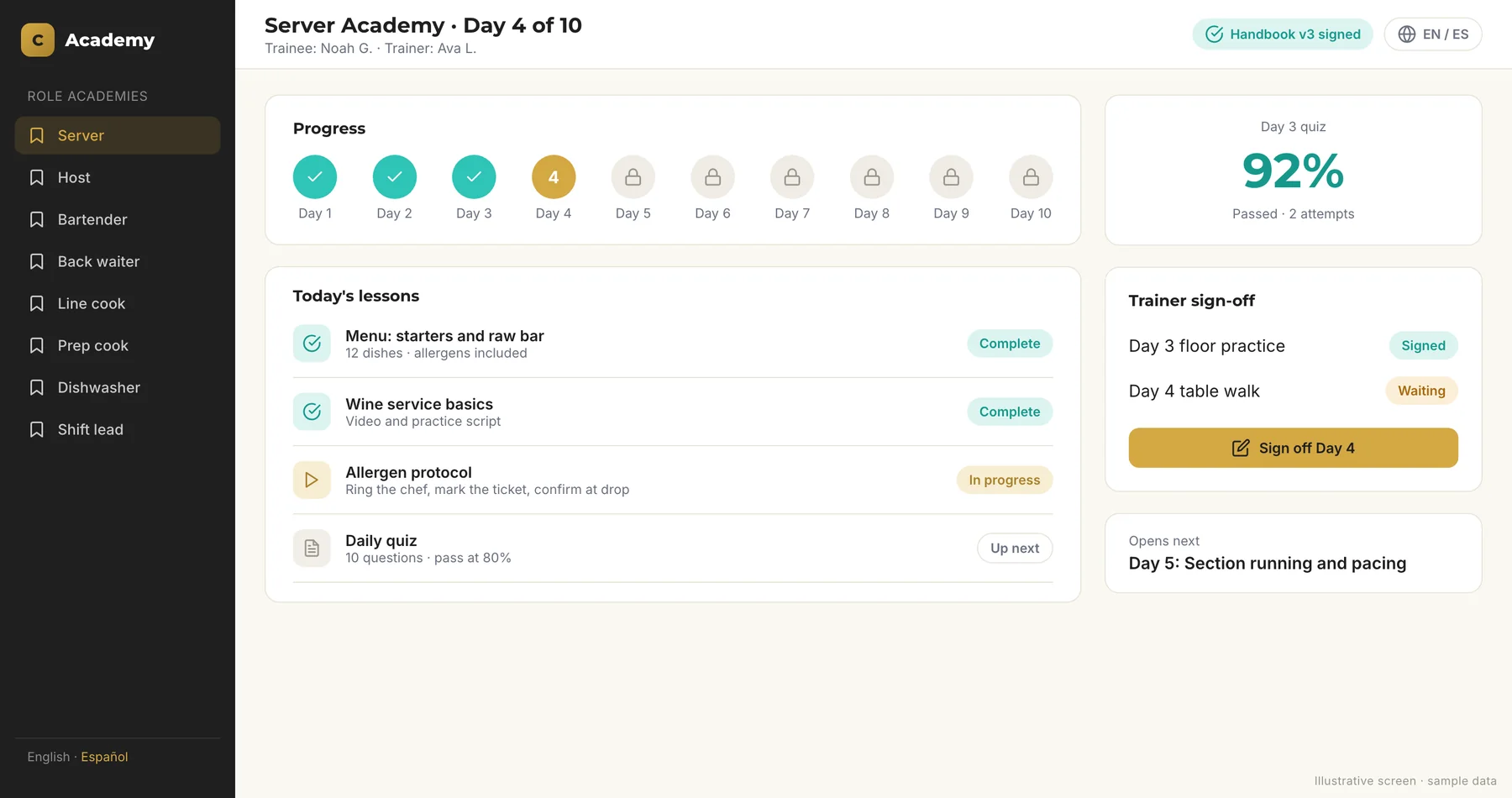
13 Role-Based Academies, 10 Days Each
We built the club a custom LMS with an academy for every role. Front of house covers server, host, back waiter, bartender, captain, and lead. Back of house covers chef de partie, line, prep, pantry, porter, and lead. Ski valet has its own academy.
Each new day opens only after the daily quiz and the trainer's sign-off, and bartenders also take a pour test.
- Handbook e-signatures that record which version was signed
- Menu training covering 83 dishes
- A POS training module
- One-tap Spanish
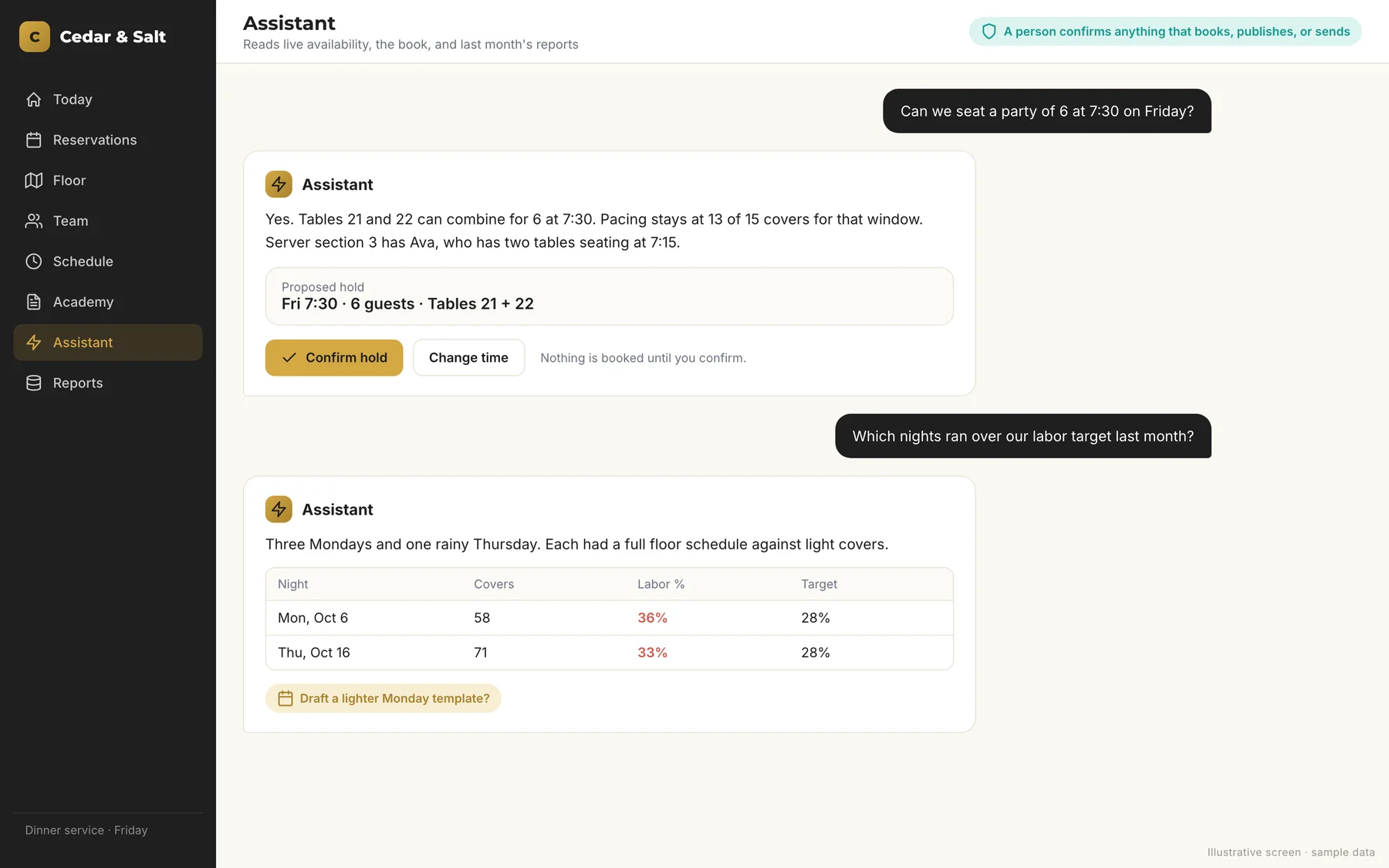
13 AI Assistants Across the Whole Operation
Each one has a clear job, and a person confirms anything that books, publishes, or sends.
What the 13 Assistants Do
From the host stand to the hiring pipeline.
- A concierge assistant that answers "can we seat 2 at 7?" from real availability
- A host assistant that greets parties, looks up guests, proposes tables, and works by voice
- A server brief that writes a greeting when the party sits and answers "what do they drink?"
- A section planner, plus a scheduling assistant that drafts weeks and covers call-outs
- A read-only kitchen pacing analyst
- An ask-the-club assistant for read-only questions across all the data, with email drafts a person sends
- A guest-message editor
- An event flyer reader that turns a PDF into a draft event
- A menu import that turns the kitchen's dish file into a training menu
- A staff note tagger
- A photo intake for valet gear
- An applicant summary where every point is backed by a quote from the application
Reporting, Back Office, and a Practice Simulator
The parts members rarely see.
Reporting
Turn times, wait-quote accuracy, member in-town demand, a nightly service rollup, scheduled email reports, and an audit email for every booking.
Back Office
Membership and careers pipelines, an electronic job application, spam filtering, per-user access, turn-time rules by season and party size, templates, a help center, and audit logs.
Practice Simulator
A full practice simulator with fake members, so staff can train safely.
A New Website in the First Month and an SEO Score From 66 to 98
We moved the public website off its old platform with 37 redirects and raised its SEO audit score from 66 to 98. A separate sales page handles ad traffic, and we restructured Google Ads.
We also built email workflows, ran social media and partnership launch campaigns, created membership materials and the careers page, and supported the press kit.
A Dining Room Planned From the Floor Plan Up
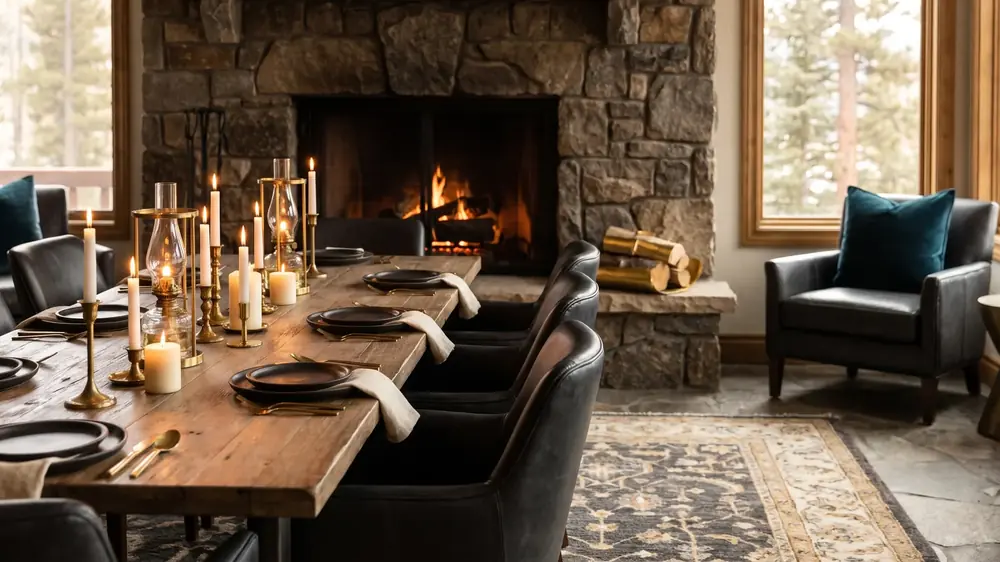
We coordinated the dining room layout, table configuration, and custom furniture with the club's designer and a custom furniture builder, working from the floor plan.
Table configuration shapes covers and turns, so we plan the room as part of the operation. See how we handle restaurant furniture sourcing.
- Dining room layout
- Table configuration
- Custom furniture coordination
One Team Kept Every Launch Detail Moving
We ran launch coordination, POS onboarding and hardware timing, the car service partnership, the hiring and careers portal, operating hours, and the wine list setup. One team owned all of it.
What This Means for Your Restaurant
You don't need a private club or 102 screens to work with us. The same process fits a single independent restaurant: a training academy built from your recipes and handbook, a schedule that follows your book, and marketing that keeps covers coming.
Every project starts with a walkthrough and a written plan you approve. We do the work. You guide the process.
Frequently Asked Questions
Can you build this for a restaurant that isn't a private club?
Does the software replace the club's POS?
How long would a project like this take for my restaurant?
Why is the club anonymous?
Let's Build What Your Restaurant Runs On
Answer about a dozen questions, and we'll email you an evaluation of your operations and marketing gaps. Christy follows up personally.